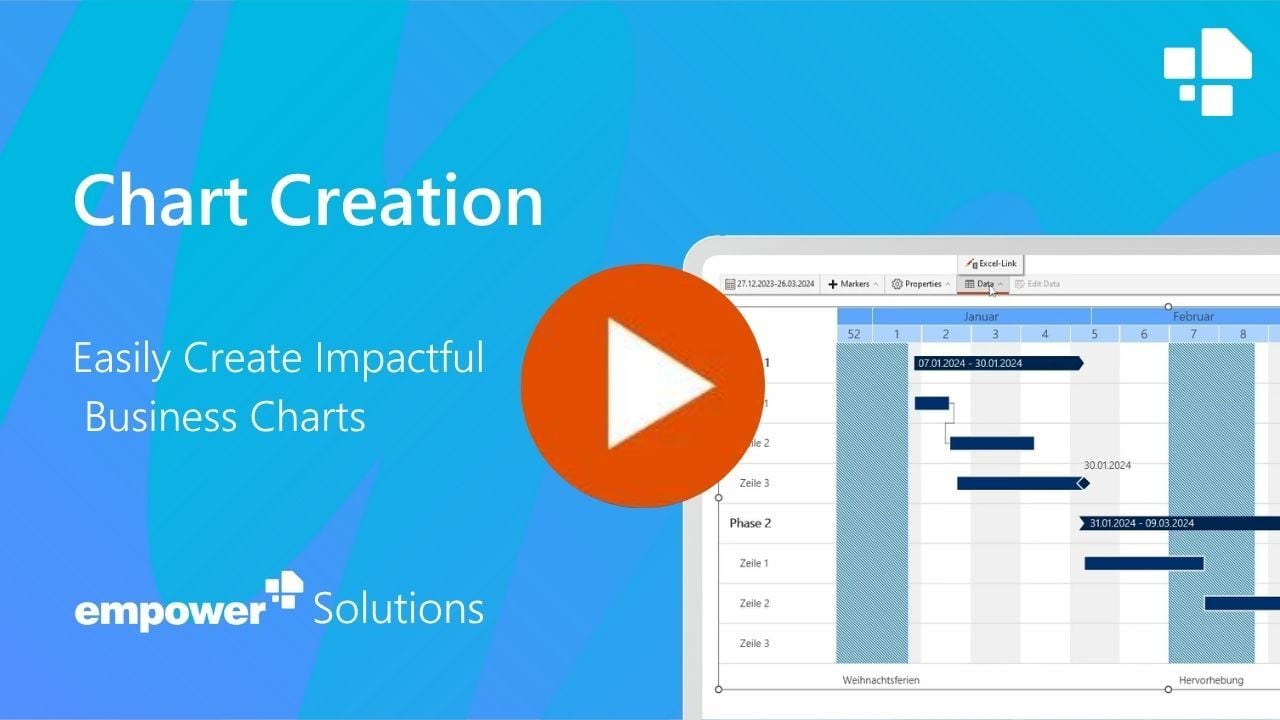









 Modern Chart Creation Software - Highlights

 empower® goes well beyond charts in PowerPoint
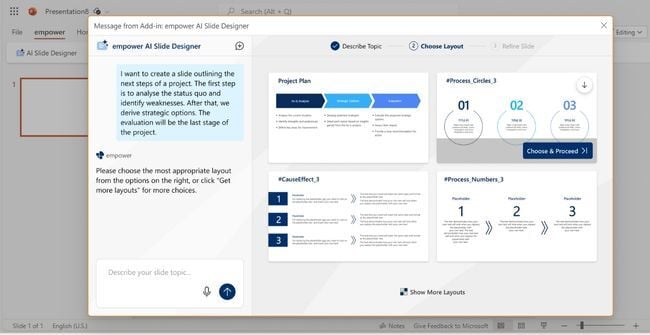
10. empower® AI: Slides that build themselves
The integrated AI automatically creates brand-compliant slides – based on your corporate templates and securely powered by Azure OpenAI.
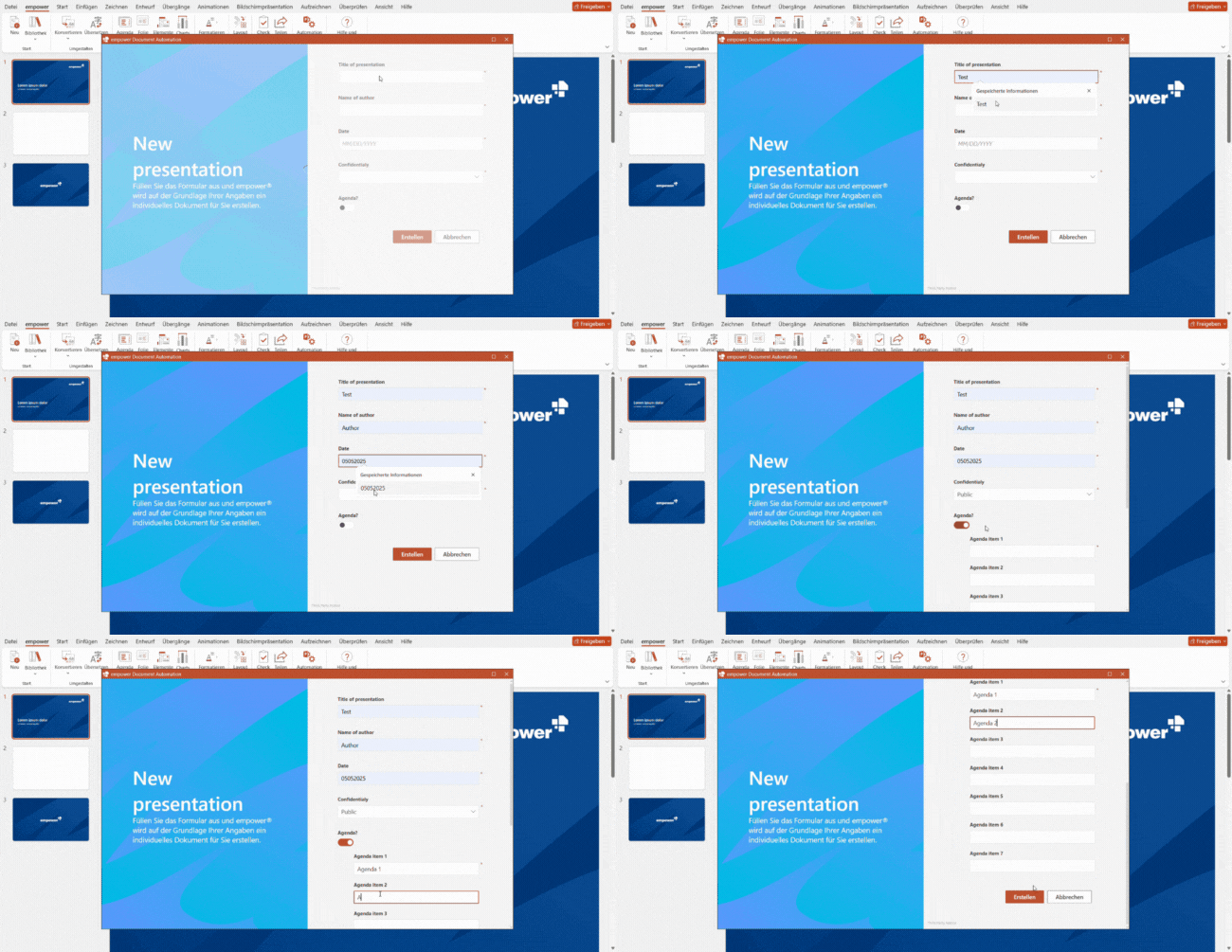
11. Automatically generated Decks
A built-in assistant walks users through a streamlined form to define objectives, structure, and content. Based on these inputs, empower® automatically generates presentations of any complexity – well-structured, professional, and aligned with your brand.
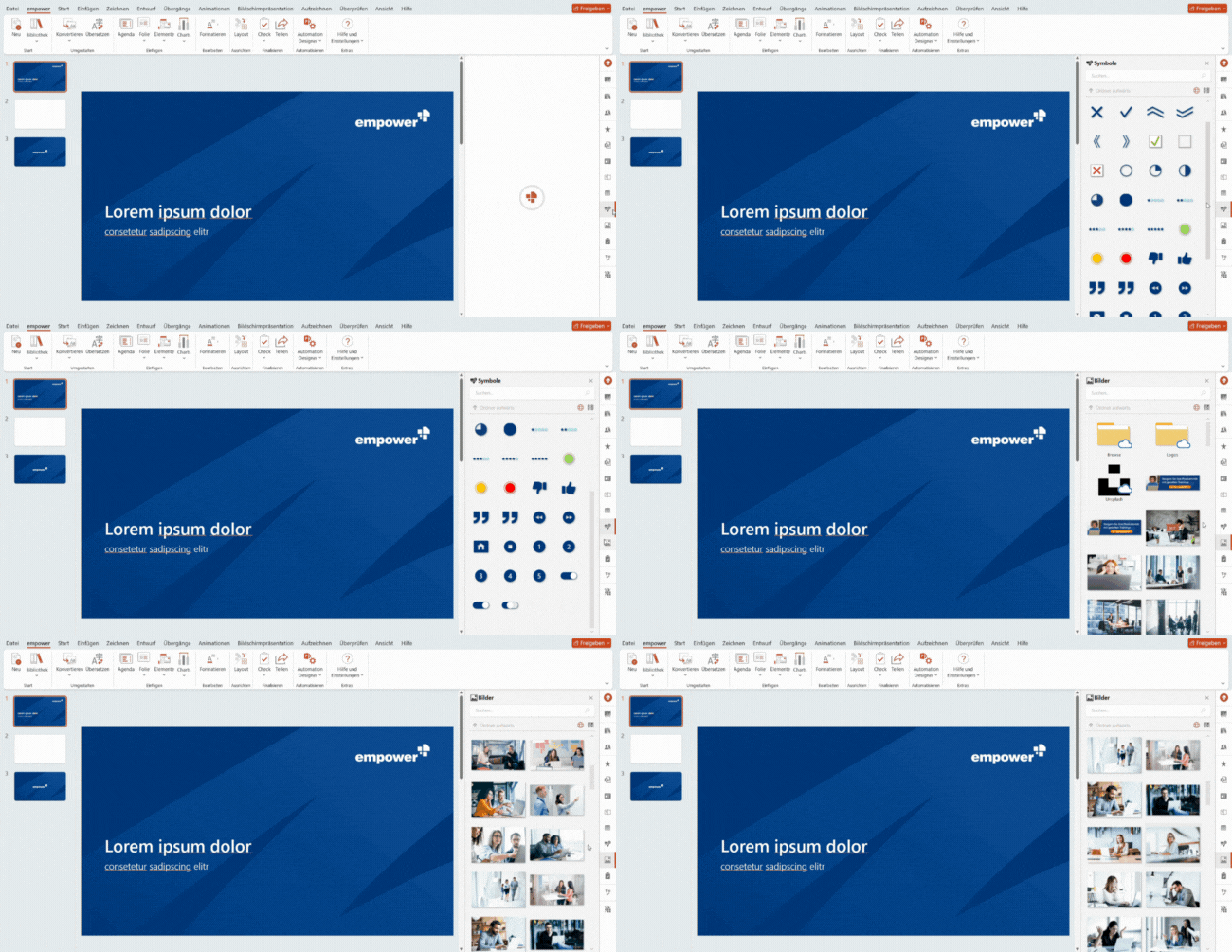
12. Slide and Design Library
All templates, content, icons, and images are instantly accessible through a library built right into PowerPoint. No searching, no waiting – just uninterrupted productivity.
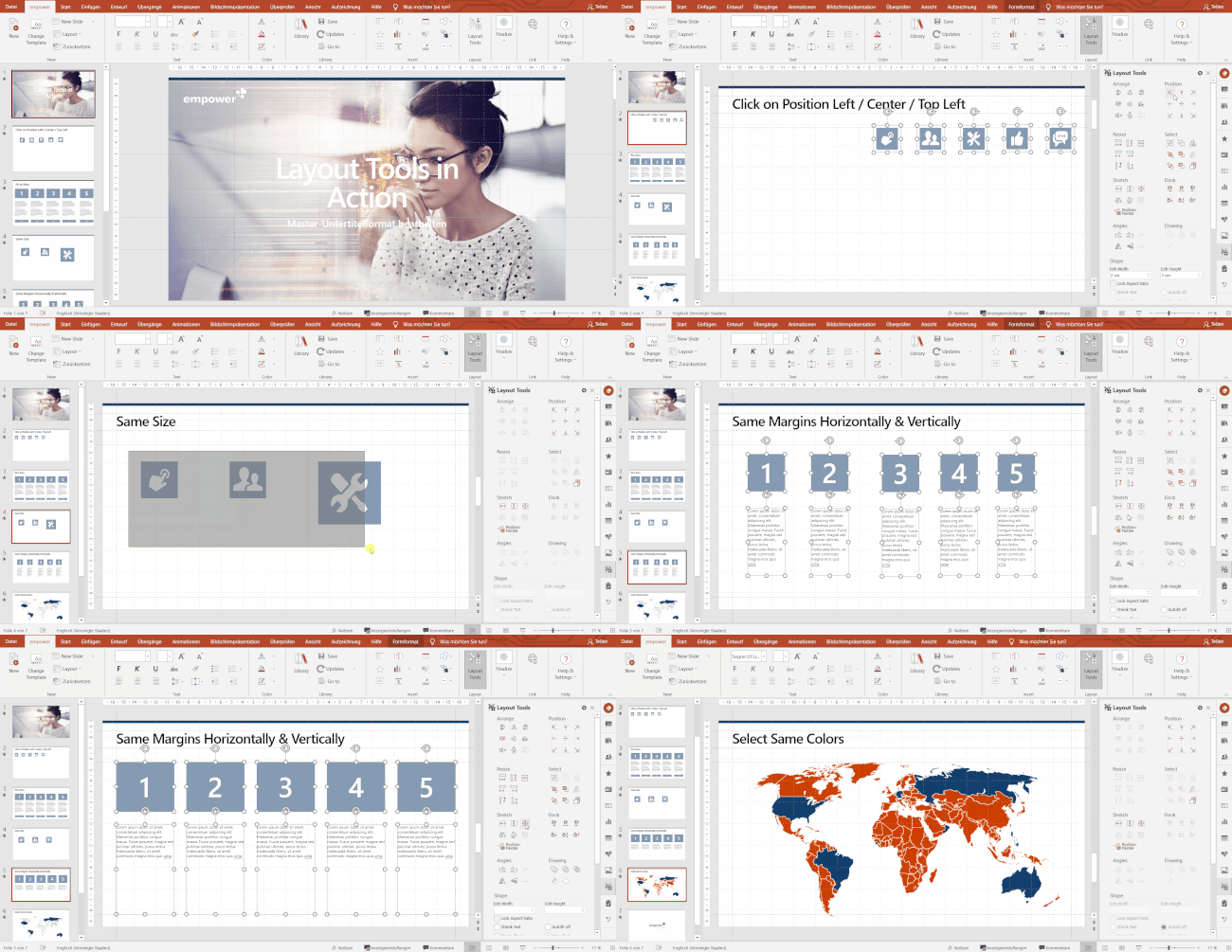
13. Layout Tools for Formatting
With over 50 layout tools, formatting becomes effortless. Align, match, adjust, swap, and more – intuitively, quickly, and precisely.
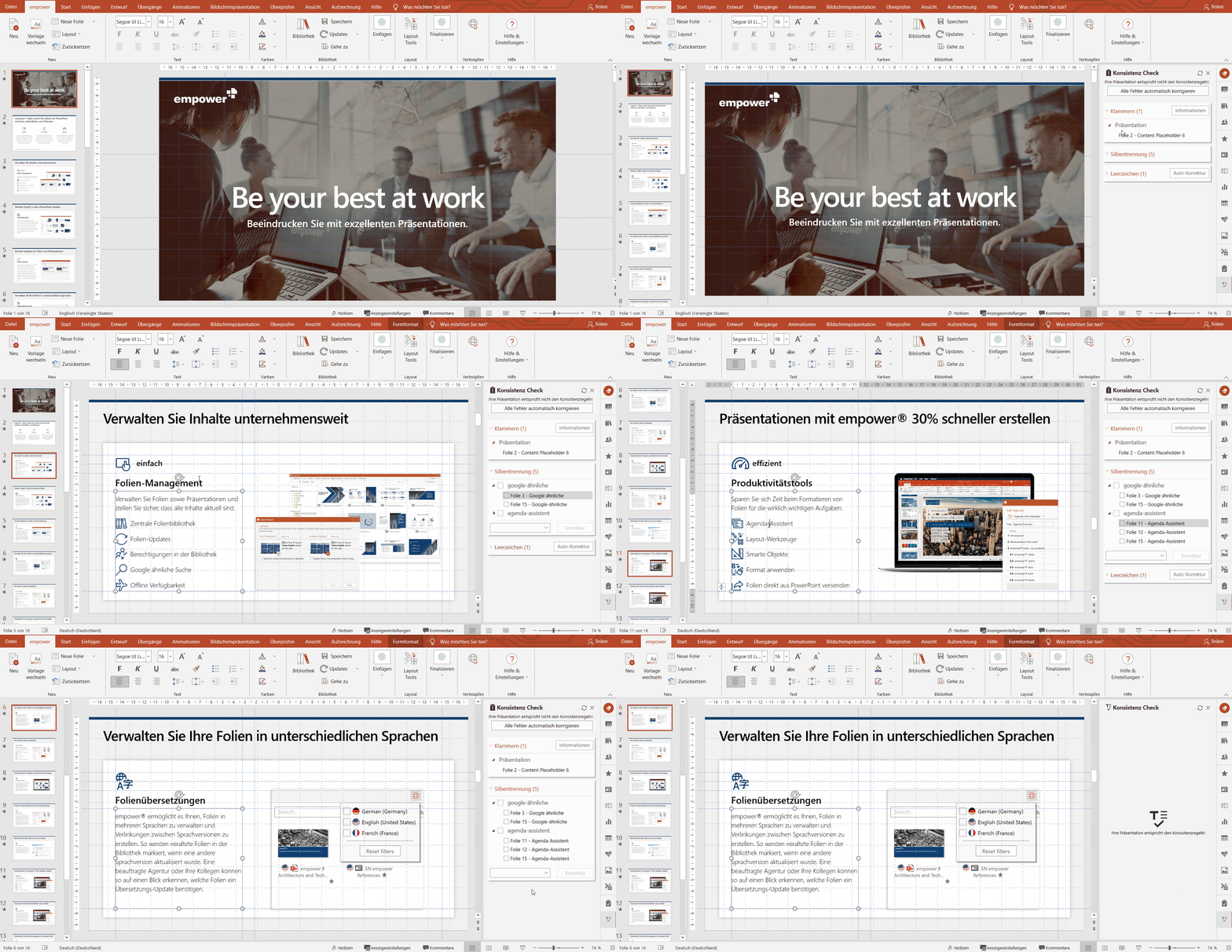
14. Design and Consistency Check
empower® automatically checks presentations for extra spaces, prohibited terms, and formatting inconsistencies – ensuring a polished, professional result.
.jpg?width=650&height=335&name=20%20reasons%20for%20empower%20-%201280x720px%20(4).jpg)
15. Automatic Agenda Creation
The empower® Agenda Wizard creates professional agendas in seconds – including title slides and follow-up pages. Edits to agenda topics can be made centrally, and all related slides update automatically with consistent design.

Challenge
For many years, Bayer used another PowerPoint chart-creation add-in across parts of the organization. As adoption grew to more than 6,000 licensed users, licensing and administrative costs increased significantly. Bayer needed a more scalable solution that could support professional chart creation, ensure brand consistency, and make efficient charting available to a much broader user base without adding more per-user licensing complexity.
Process
Bayer conducted an extensive proof of concept to evaluate empower® as an alternative. Users confirmed that all essential charting capabilities were covered and that existing charts could be transitioned smoothly through chart conversion. With only a few exceptions, more than 95 percent of users approved the solution, allowing Bayer to transition to empower® at the end of the existing license term.
Result
Bayer has now used empower® successfully for many years. The transition has helped Bayer save millions of euros in licensing and administrative costs while maintaining strong adoption across the organization. Demand for efficient chart creation remains high, and empower® continues to deliver consistently strong usage and user satisfaction.

Challenge
DHL Post & Paket needed an economically sustainable and scalable solution for creating diagrams in PowerPoint. Beyond the high licensing costs of its previous software, license management posed a significant administrative burden. Each year, the company had to assess its actual licensing requirements, involving an external service provider and engaging in multi-week coordination efforts.
Process
Following a comprehensive testing phase with a broad group of users, DHL Post & Paket selected empower® as a company-wide add-in for PowerPoint diagrams. The solution was implemented quickly and deployed across the organization to approximately 24,000 users under a corporate license agreement.
Result
By introducing the empower® corporate license, DHL Post & Paket eliminated the complex annual license management process entirely, as all 24,000 users were centrally provisioned with the software. This increased organization-wide productivity, reduced annual licensing costs, and significantly streamlined administrative operations.

Challenge
Brose previously used another chart creation add-in for PowerPoint with more than 1,000 licenses. Although all licenses were required, the company had to reduce the number of licenses due to cost constraints. As a result, many employees were limited to using PowerPoint’s native features for chart creation.
Process
Following a comprehensive evaluation, Brose rolled out empower® to all 16,000 employees. Cost-effective terms under a corporate license agreement ensured that expenses would remain predictable and controlled over the long term.
Result
The company now saves substantial annual licensing expenses while providing professional charting capabilities to its entire workforce. This supports Brose’s broader strategy of maintaining IT costs within a sustainable and predictable range while meeting the demands of a modern digital workplace.

The smart way to create charts with empower® Chart Creation
„empower® Chart Creation plays a key role for us […]. We no longer need any additional PowerPoint add-ins.“
Thomas Röhrich, Head of Brand Communications, Continental AG
With the release of version 8, Continental introduced empower® Chart Creation. Employees quickly recognized the value of creating complex charts in PowerPoint faster and more efficiently. Automated chart formatting saved valuable time and made the tool easy to use. Existing charts created with other charting add-ins could be converted into empower® charts in seconds, allowing users to continue working without interruption.

Standard & Poor's boosts Productivity by 30 Percent with empower®
"We consider empower® the gold standard for how Office products should be developed.“
Alyssa Le, VP Business Development
Like many organizations in the financial services industry, S&P creates a high volume of PowerPoint content, which can be highly time-intensive, particularly when working with complex charts and tables.
The company aimed to reduce the time required to create and format presentations while ensuring compliance and maintaining clear audit trails for all presentation changes.
More time for what truly matters
S&P rolled out empower® to 10,000 users. Its comprehensive productivity features streamline the creation of tables of contents and automate updates. Built-in tracking makes it easy to trace changes, and table and chart styles can be applied or modified with just a few clicks.
Since implementing empower®, overall productivity has increased by an average of 30 percent. This has freed up significant time that can now be dedicated to higher-value activities such as analyzing and evaluating data.

"empower® enables our users to create professional presentations in a fraction of the time. (...) Instead of managing multiple standalone add-ins, we now benefit from a comprehensive solution that reduces technical complexity and makes strong financial sense."
Felix Flüs, Head of Marketing & Communications
Security and trust at empower
 |
 |
 |
 |









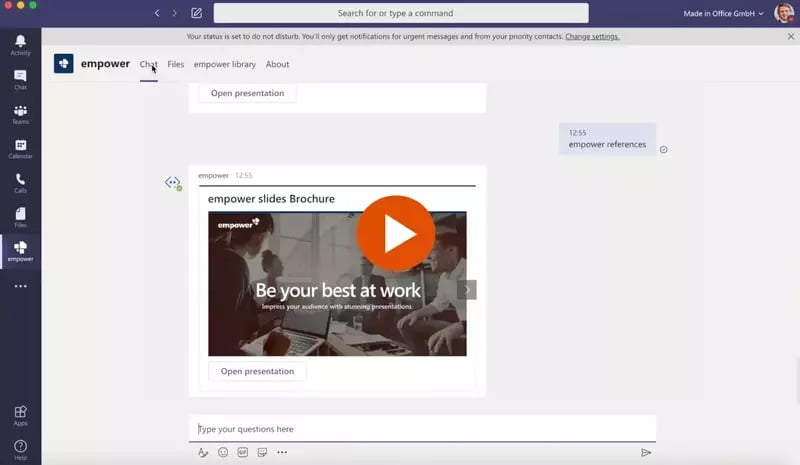
empower® for Microsoft Teams
empower® also directly integrates with Microsoft Teams. People can browse the empower® Library or chat with the empower® Bot to find and open slides directly inside MS Teams.