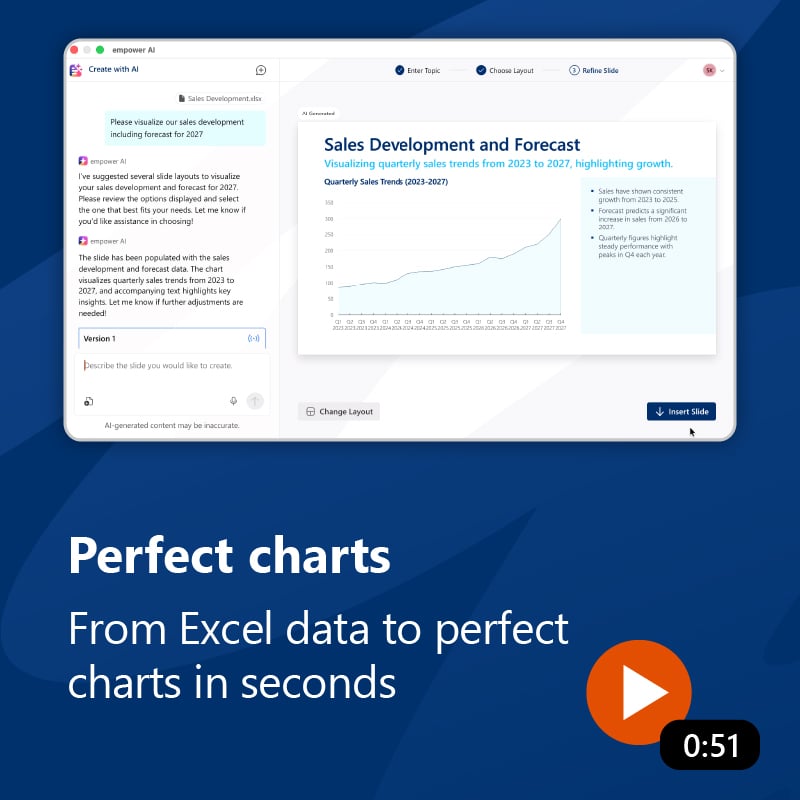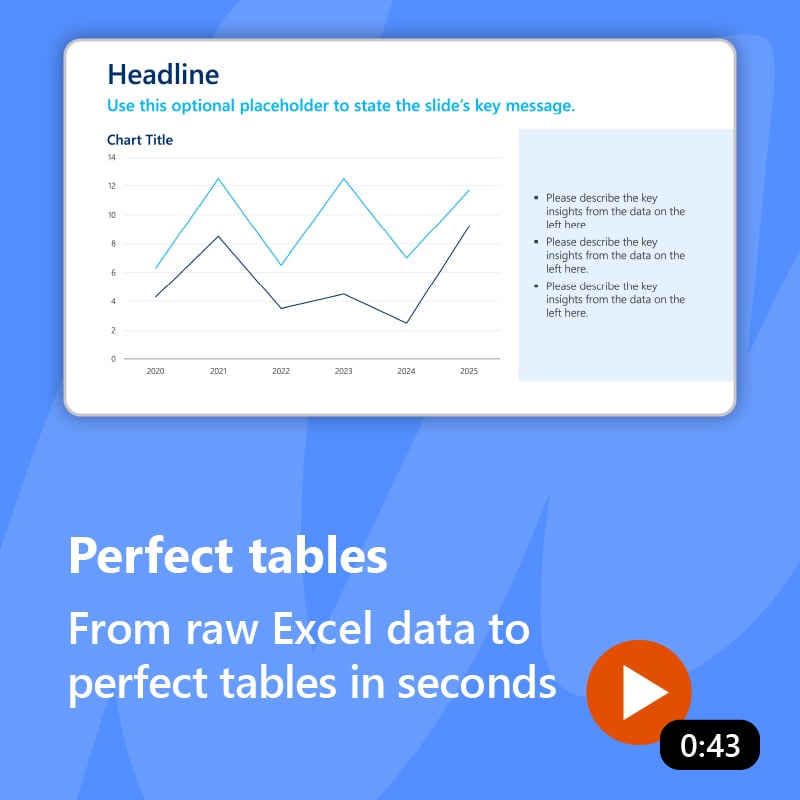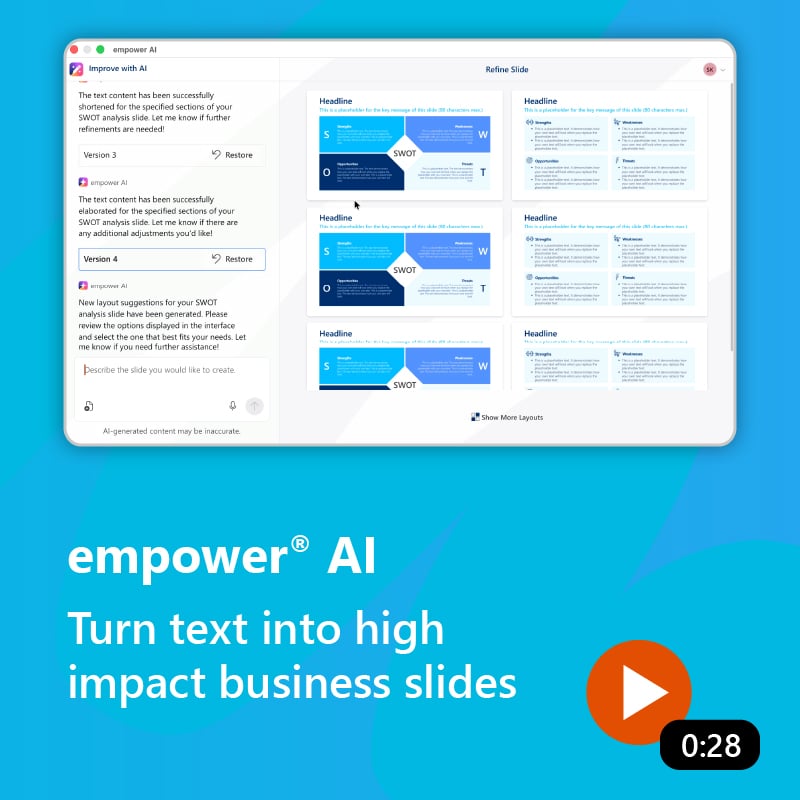










empower® AI - Presentations in PowerPoint

No drafts to rework.
Finished slides, ready to present.

empower® AI creates agency-quality presentation slides that are visually polished, fully on-brand down to the last detail, and ready to use — directly integrated into PowerPoint. You define the message. AI handles the design and formatting.

 Book a meeting 

 Over 3 million people already trust empower® to create professional Office documents.

challenge-icon   At a Glance


×Don’t just explain it. Show it.

The difference is clear from the very first slide. See how empower® AI works.

See how empower® AI supports common use cases across writing, design, and formatting to create professional, on-brand slides. Then we show why this approach makes the difference.
×One AI-generated slide can look good. After 20, they all start to look the same.

empower® AI doesn’t think for you.
It works for you.

Generic AI platforms such as Copilot, ChatGPT, and Claude tend to generate slides using similar patterns. One slide may look polished, but across a full deck, the same AI look quickly emerges — repetitive and interchangeable. empower® AI takes a different approach. Curated templates and AI-generated layouts when needed create real variety — fully on-brand with significantly less rework.
Generic AI · One pattern for everything

Generates. You rework.

×
The same layout patterns again and again. Across multiple slides, the result quickly takes on a uniform AI look that feels repetitive and interchangeable.
×
Your brand is only approximated. Colors, fonts, spacing, and layout principles can drift away from your design standards.
×
Minutes instead of seconds. Waiting after every prompt interrupts your workflow and makes slide creation unnecessarily slow.
×
High compute for every slide. Large models are used even when simpler processes would be enough, resulting in higher token usage and higher costs.
×
A black box instead of control. AI drives much of the design process, and the result often requires additional rework.
empower® AI · Human in the Loop

Delivers finished slides. You decide.

More impact. Curated premium templates create variety and compelling visuals. If no template fits, empower® AI can generate a new layout.
More brand consistency. Intelligent guardrails enforce your corporate design across colors, fonts, spacing, and shapes.
More speed. Initial slide suggestions are ready in seconds, while a completely new layout takes about 60 to 90 seconds.
Greater cost efficiency. AI is used only where it adds value. Right-sized models and deterministic software reduce compute and costs.
More control. You decide the direction, visualization, and layout. AI suggests options and handles the execution.
×What generic AI generators get wrong.

And how empower® AI does it better.

 
×Twenty fast slides, and not one is persuasive or ready to use.

Slides that make an impact. Not just fill a deck.

Curated layouts first. Generated only when needed. empower® AI suggests fitting slides from a curated, on-brand template library. You choose the option that best supports your message. If no template fits, empower® AI can generate a new layout instead. AI then applies the core of your prompt to the selected slide.
Your Prompt
“Visualize the key message of my story ...”
AI suggests fitting slide options
curated · on-brand


You Choose
Curated Layout
No Match? Try
Generated Layout
Finished, on-brand slide
Your core message is applied to the selected layout.
×You can tell when a slide reflects your intent.

You’re in control. AI does the work.

You decide the direction, visualization, and layout. AI suggests options and handles the execution. This gives you greater transparency, more predictable results, and significantly less rework. Creative control stays with you.
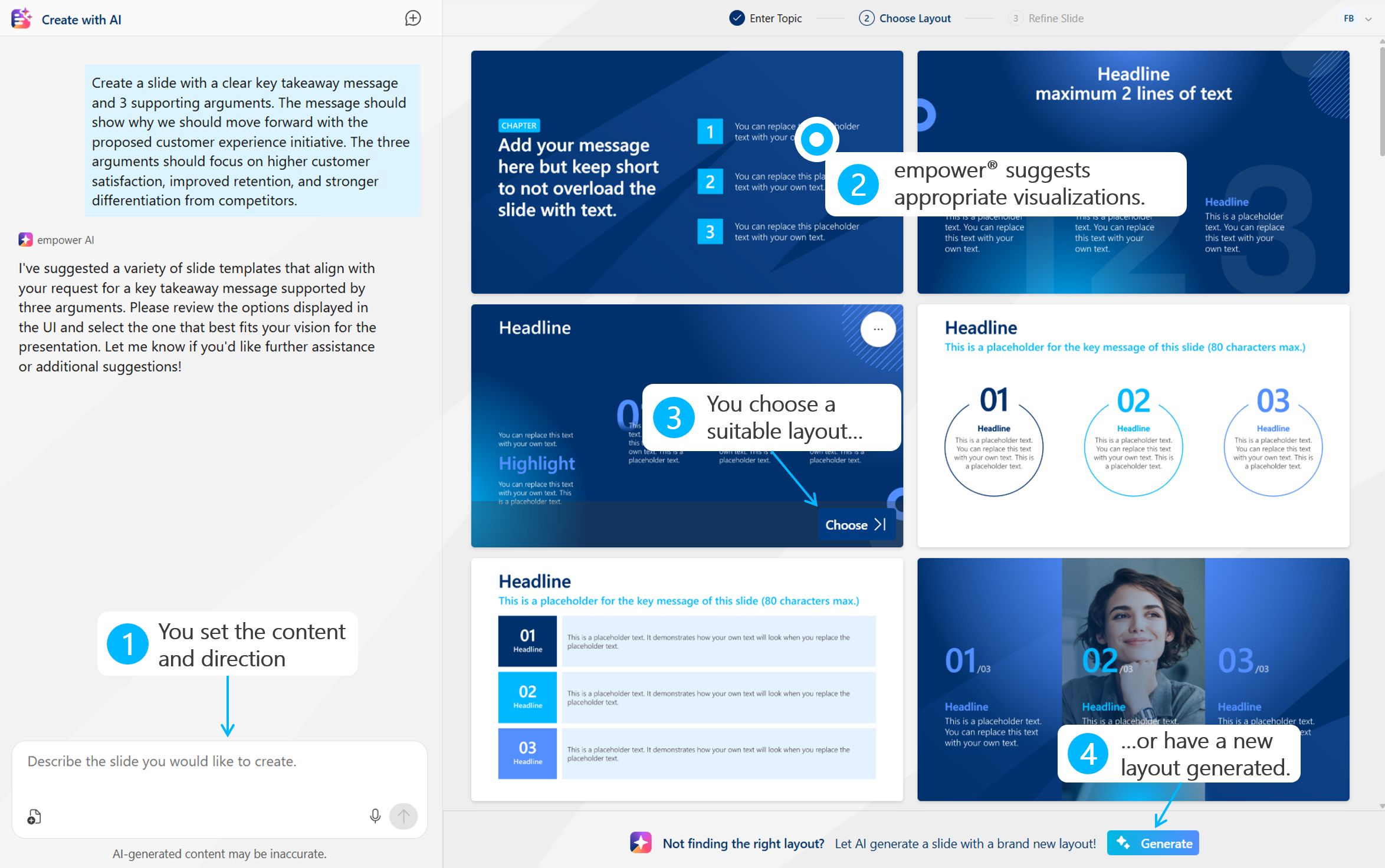
empower® AI interface showing how users provide direction, review visualization options, and choose or generate a layout.
×Still waiting, or already presenting?

Stay in the flow. Skip the stop-and-go.

Initial slide suggestions are ready in seconds. A completely new layout takes about 60 to 90 seconds. You stay in your workflow, slide by slide, instead of waiting between prompt and result. Overall, you spend more than 50% less time per slide because formatting is automated, not decision-making.
* In our own tests, generic AI generators took around 3 to 6 minutes per slide and 10 to 20 minutes for a 15-slide deck, depending on the model used.
 
50
%+
less time per slide.* Initial suggestions in seconds, new layouts in 60 to 90 seconds.
empower® AI


Generic AI


1 min.
3 min.
6 min.
 
Most slides
~10 sec.
 
New layout
60–90 sec.
 
Generic AI per slide
3–6 min.*
×Almost on-brand is still off-brand.

100% your design. Down to the last detail.

empower® AI applies your design from the template down to the smallest detail. Colors, fonts, spacing, and shapes are automatically applied correctly, with no manual cleanup required. Intelligent guardrails keep AI within your design standards.
100
%
Brand standards, enforced instead of approximated.
 
Brand consistency
0 %


Aa
×Using large models for small tasks still costs someone — you.

Fewer tokens. Significantly lower costs.

empower® AI uses the right AI model for each use case, only where AI adds real value. Many steps are handled by deterministic software instead. This significantly reduces compute and costs.
1/3
the cost per slide. Generic AI using a frontier model costs 3–5× as much.
empower® AI
 
 
Generic AI
 
3–5× more
×What you present shouldn’t be used to train someone else’s model.

Your data stays yours. No exceptions.

Your content is never used for AI training or stored to improve models. Operated in the certified empower® Cloud , or in your own Azure OpenAI instance if preferred.
empower® Cloud
ISO 27001 · GDPR-compliant · Standard
Your Azure OpenAI Instance
Optional
Full data control within your own tenant
GDPR compliant
ISO
27001
ISO 27001 certified


Microsoft Partner
Azure Cloud Solution
×Assign licenses first and hope people use them?

Make AI available to everyone. Without the license guessing game.

No per-user AI license. No need to decide in advance who gets access and who may not use it enough to justify a seat. With empower® AI you can make the solution available to everyone. People who need it can use it. Variable usage is covered by one shared AI budget. Adoption can grow without having to buy, distribute, and constantly reassign individual seats.
Roll out broadly instead of rationing seats
You don’t have to decide before rollout which employees receive their own AI license and which do not.
Let adoption grow naturally
Anyone with a use case can get started. You don’t have to limit adoption based on a fixed number of purchased seats.
See how AI is actually used
You can see where empower® AI is actually being used and manage your budget accordingly.
Costs follow actual value
Variable usage is paid from one shared AI budget. You don’t pay for individual AI licenses that go unused.
Pricing Currency
The Model
Everyone can use it.
You pay for actual AI usage.
👥
roll out
broadly
usage
grows
budget
is used
Shared AI Budget
from €1,000
does not expire
Add more budget anytime
Typical Output per €1,000 AI Budget
2,000–5,000 slides*
Higher use of curated templates
€0.10–€0.20
avg. per slide
AI-generated layouts
€0.40–€0.60
avg. per slide
Annual Platform Fee
for your empower® AI environment
€5,000 / year
* Estimate. Actual slide volume depends on complexity and the mix of curated templates and AI-generated layouts.
×Fast and mediocre was never the goal.

Market leaders choose empower®. For results.

“We see empower® as the gold standard for how Office products should be built.”
Alyssa Le
VP Business Development,
S&P Global Inc.
“Because users can create presentations much faster, more easily, and more effectively.”
Thomas Röhrich
Head of Brand Communications,
Continental AG
“Today, we manage our brand largely on a foundation of trust. empower® has helped make that possible.”
Denis Seger
Head of Brand & Campaign,
Evonik Industries AG
“One of the best decisions we made as part of the branding project.”
Brigitte Schneider
Head of Brand Communications,
Merck KGaA
 
Efficiency
+30%
Increase in efficiency at S&P Global
 
Return on Investment
+600%
ROI within 12 months at Evonik
 
User Base
100,000+
Users at Bayer AG

See empower® AI in action. Watch the demo.

 Book a meeting 

The best alternative to the Microsoft SharePoint slide library

SharePoint is often used for slide management in companies. However, with SharePoint 2013, Microsoft abolished the slide library component because of poor customer adoption. SharePoint’s slide library integrated clumsily with the slide library in PowerPoint, its search was insufficient search, and it was unstable. The slide library of empower® solves all those problems. It completely replaces your SharePoint slide library and offers further advantages for you.

Efficient slide library without SharePoint

Make all your PowerPoint content available to the entire company in the empower® slide library. Share existing content and strengthen collaboration across the organization. Enhance your brand communication by embedding your design guidelines directly into PowerPoint. Deliver all your brand assets directly in PowerPoint. At the same time, you and your colleagues can work more productively and save time for the really important tasks.

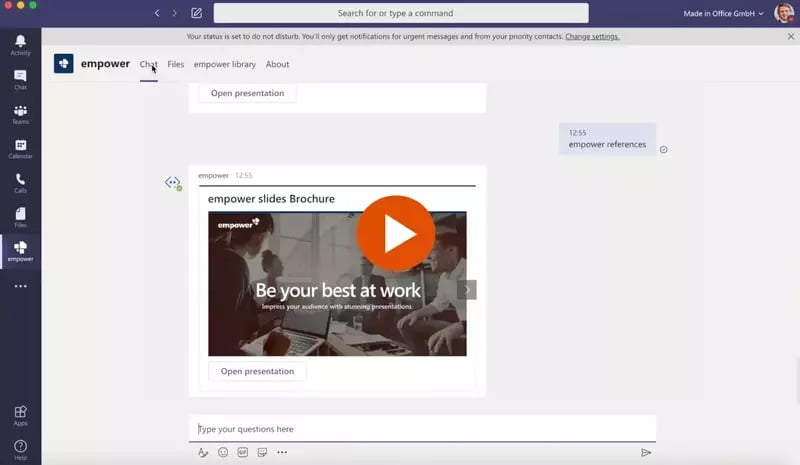
empower® for Microsoft Teams

empower® also directly integrates with Microsoft Teams. People can browse the empower® Library or chat with the empower® Bot to find and open slides directly inside MS Teams.

Independent reviews on leading platforms

You’re on stage. Not your prompt.

Ready for presentations that truly make an impact?

15 minutes. See empower® AI live with your real use case. No commitment.


faq-iconFAQ


1. What are the benefits of empower® AI?

empower® AI creates presentation-ready, fully on-brand business slides and reduces the time spent per slide by more than 50%. Manual formatting and revision cycles are significantly reduced, leaving more time for content and messages that truly make an impact.

2. How is empower® AI different from ChatGPT, Copilot, and other AI tools?

Generic AI tools often create slides using repetitive patterns and only approximate brand guidelines. empower® AI suggests suitable, curated, on-brand layouts first and generates a new layout only when no suitable template is available. You decide the direction, visualization, and layout while AI handles the execution and formatting.

3. Who is empower® AI designed for?

empower® AI is designed for anyone who regularly creates professional presentations, especially teams in marketing, sales, management, consulting, finance, controlling, and HR.

4. Is our data secure?

Yes. Your content is never used for AI training or stored to improve models. Data transmission is encrypted, and processing takes place in the GDPR-compliant, certified empower® Cloud or, optionally, through your own Azure OpenAI instance. empower® is ISO 27001 certified.

5. How does empower® AI work technically?

empower® AI combines specialized AI models with deterministic software, a curated template library, and your brand logic. Suitable, on-brand layouts are suggested first. If none is a good fit, a new layout can be generated. AI is used selectively where it delivers real value.

6. What are the technical requirements?

You need empower® AI as a web add-in and a Microsoft 365 environment.

7. Does empower® AI need to be trained on our own content?

No. Training with your own company content is not required. Before rollout, your corporate templates and design rules are configured as part of the customization process. This allows empower® AI to work from a fully on-brand foundation from day one.

8. How quickly can empower® AI be rolled out?

From a technical perspective, empower® AI can be ready within a few hours. Brand-specific setup typically takes 1 to 5 business days, depending on the complexity of your corporate design and the scope of the desired template library.

9. What are the limitations of empower® AI?

Creative freedom is intentionally kept within your brand guidelines to ensure consistent, on-brand results. For facts, figures, charts, and tables, output quality also depends on the underlying source data. Business-critical content should therefore still be reviewed by a subject-matter expert.

10. How is empower® AI licensed?

empower® AI is not priced through individual AI licenses per user. Instead, you pay an annual platform fee of €5,000 ($5,750) for your empower® AI environment and use one shared AI budget for actual usage. The AI budget starts at €1,000 ($1,150), does not expire, and can be increased at any time. This allows you to make empower® AI broadly available across your organization without having to estimate the number of licenses you need in advance or assign individual seats.