New in empower® 10
AI-Powered slides that make an impact.
empower® AI for slide creation
empower® AI combines curated premium templates with generative AI, bringing greater flexibility to professional slide creation.
empower® starts with existing, approved layouts. When no suitable layout is available or greater flexibility is needed, the Generative Layout Engine creates new, on-brand slide layouts directly in PowerPoint. Premium templates first.
Generative AI when you need it. Always on-brand.

New in empower® 10
From prompt to chart.
empower® AI Chart Assistant
Describe what you need. empower® helps you create it.
With the new empower® AI Chart Assistant, you can create and edit data charts and Gantt charts using AI.
Start with your own data, Excel files, information from accessible URLs, or even an image of an existing chart. The AI Chart Assistant turns these inputs into an empower® chart or helps you make targeted adjustments to an existing one.
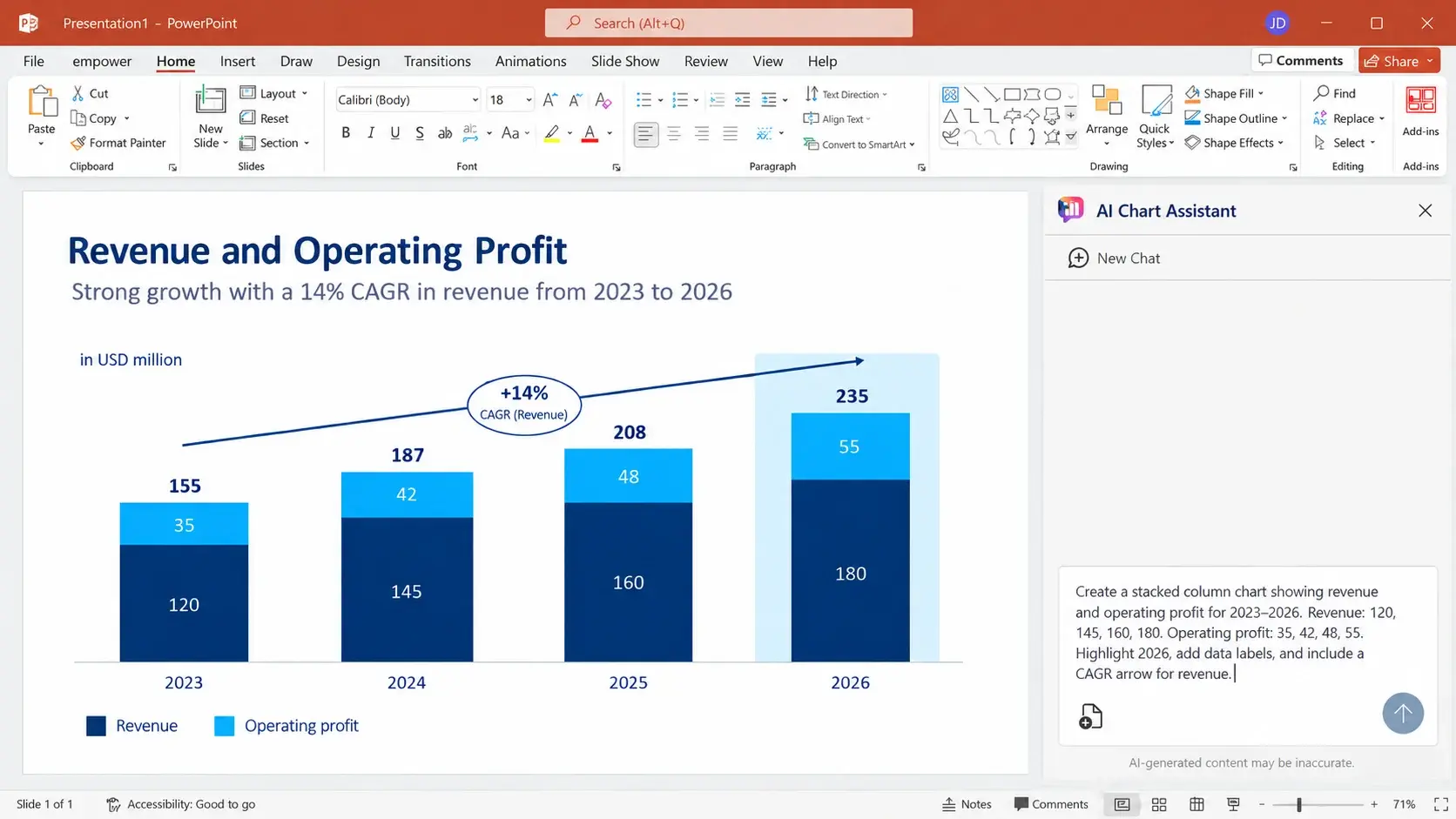
The empower® AI Chart Assistant is available as a beta feature and requires additional configuration in your empower® environment.
New in empower® 10
Format once. Stay consistent everywhere.
Magnetic Guidelines · Chart Format Painter · Preferred Bar & Category Width
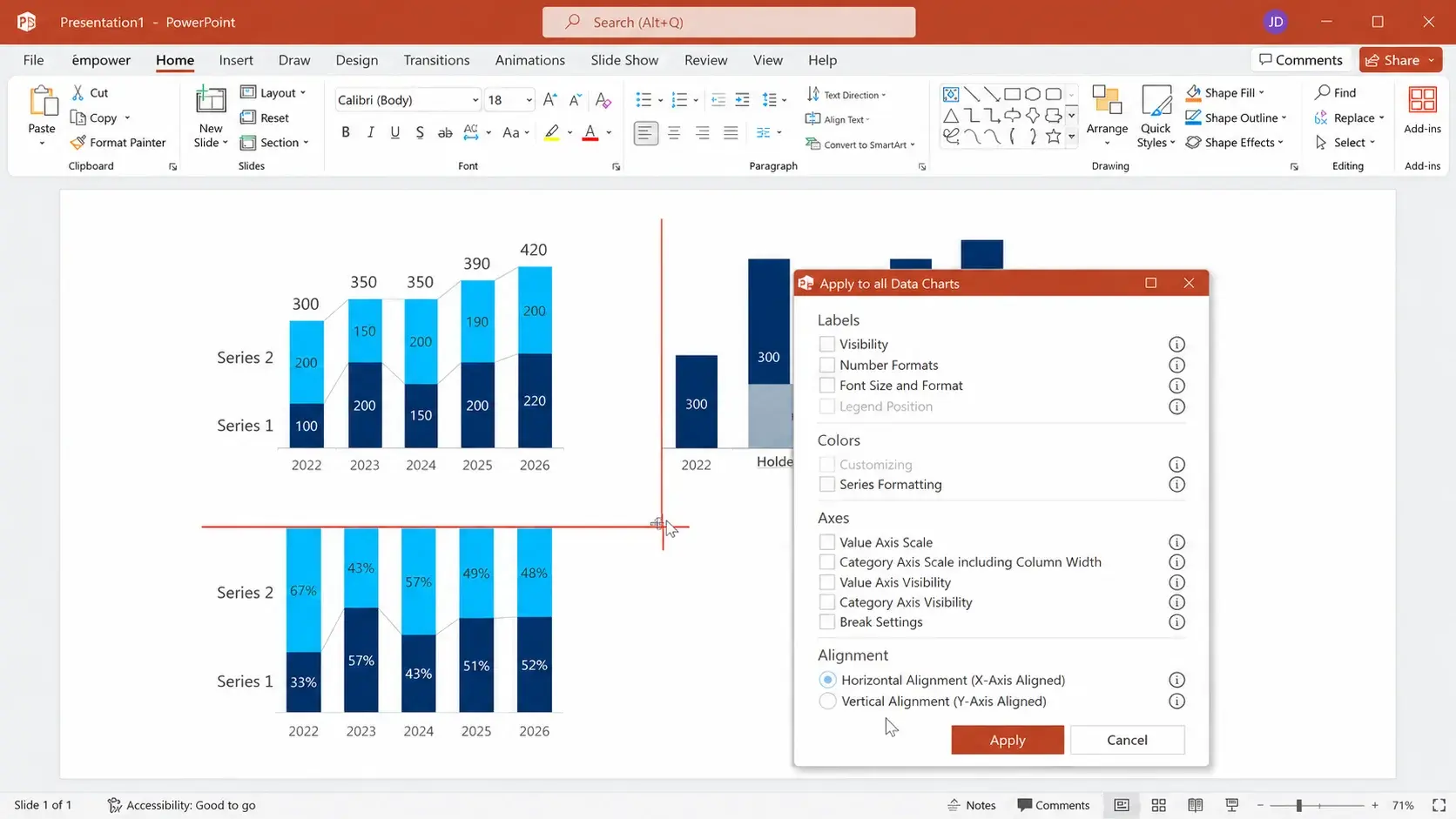
Great charts shouldn't require endless manual adjustments. With Magnetic Guidelines, Chart Format Painter, and Preferred Bar & Category Width, positioning and formatting charts is easier than ever.
You can now align charts faster and more precisely, copy formatting from one chart to another, and maintain consistent proportions throughout your presentation.
Just right. No manual fine-tuning required.
New in empower® 10
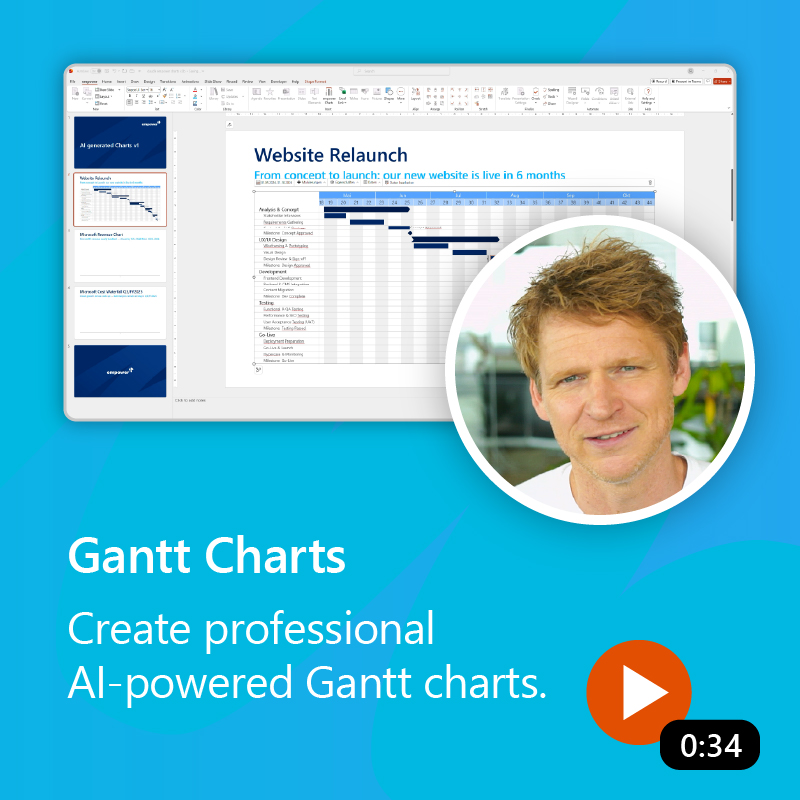
Gantt Charts. More flexible planning.
empower® 10 also makes working with Gantt charts faster and more flexible in many ways.
Choose to have the displayed timeline adjust automatically to your project schedule. Custom date formats give you greater control. And with new Reference Styles, task bars and milestones automatically match the formatting of existing elements.
Day-to-day editing is more flexible, too. Position task bars, milestones, and markers more freely, add date lines faster, and update status information with less effort.
And that's not all. Explore every update.
New empower® Chatbot
Get help and information about empower® directly from the ribbon.
Duplicate charts with Ctrl + Drag
Create chart variations faster without starting from scratch.
Enhanced legends
More flexibility in positioning and appearance.
More options for lines & arrows
Add details and customize chart designs with greater precision.
Share slides in Outlook
Now you can share slides and presentations through the new Outlook client, too.
Performance on demand
Depending on your configuration, charting features can load only when they are needed.
empower® 10 offers more than the highlights featured here, with additional improvements to chart creation and optimization, on-brand slides, administration, and technical environments.
For customers
Want to learn more?
Explore all the new features, requirements, and technical details in the full release notes.

For prospective customers
empower® in action.
Want to see how empower® 10 can improve the way you work in PowerPoint? Discover empower® in a personalized demo.

empower® for Microsoft Teams
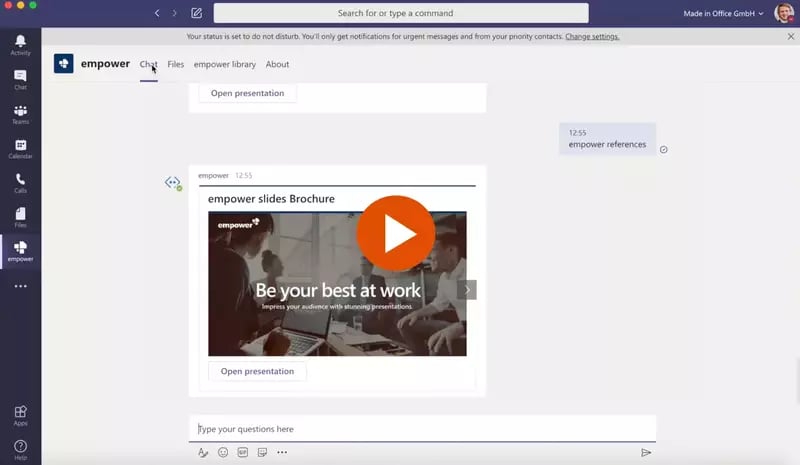
empower® also directly integrates with Microsoft Teams. People can browse the empower® Library or chat with the empower® Bot to find and open slides directly inside MS Teams.