









Create modern business charts in minutes.

Build complex charts and reports in just a few clicks directly in PowerPoint. Professionally designed and automatically updated through Excel links.
 Book a meeting 

Over 3 million people already trust empower® to create professional Office documents.

challenge-icon At a glance


Modern charts: It’s time for a game changer

The following average findings on current inefficiencies in the use of Microsoft 365 are based on the world’s largest representative study of how businesses use Microsoft Office.

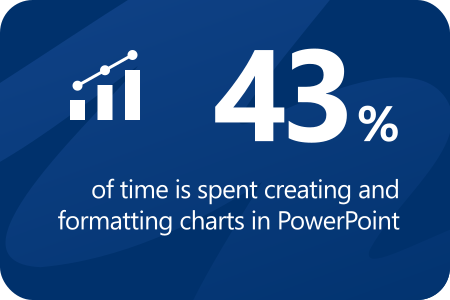
Stats: 43% of time for formatting

empower® makes it easy and efficient to create engaging charts.

Stats: 63% struggle to align slide elements

With more than 50 layout tools, empower® makes slide layout effortless.

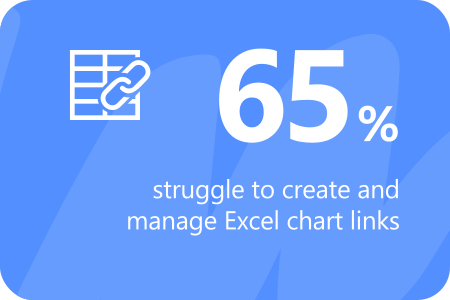
Stats: 65% struggle to create Excel chart links

The Link Manager brings organization and ease to Excel link management.

empower® Chart Creation – your data, presented with precision.

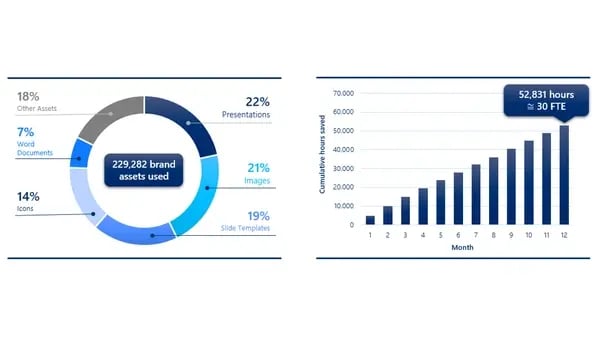
With empower® Chart Creation you can create modern charts and professional reports in PowerPoint quickly, consistently, and efficiently - in minutes instead of hours. With more than 40 chart types, Excel integration, and automatic formatting, your reports stay clear, consistent, and up to date.

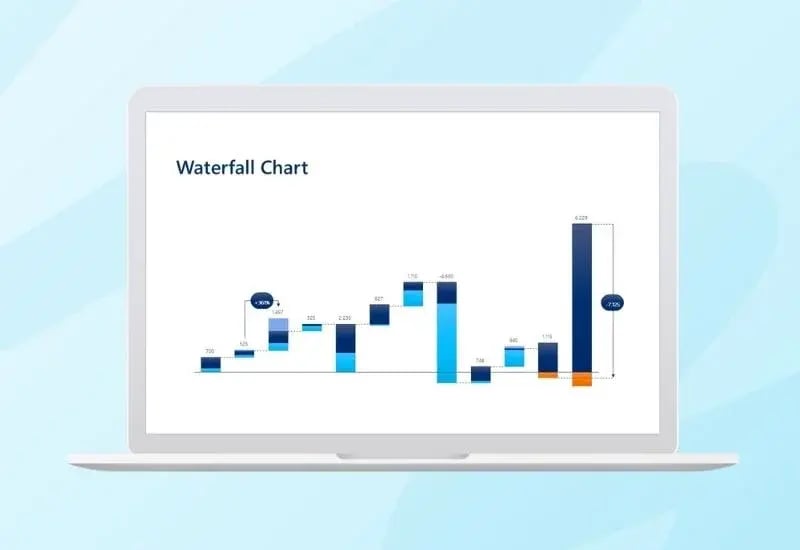
Waterfall charts
Impressive work
Nothing else matters
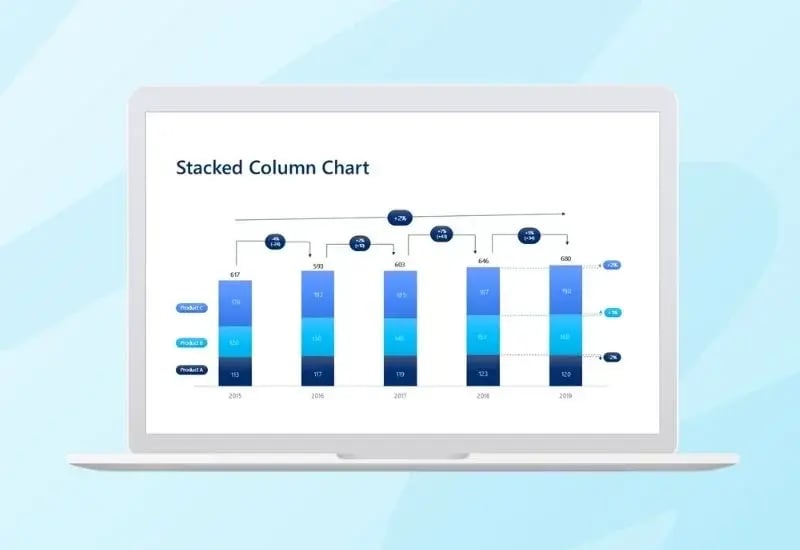
Stacked column charts
Impressive work
Nothing else matters
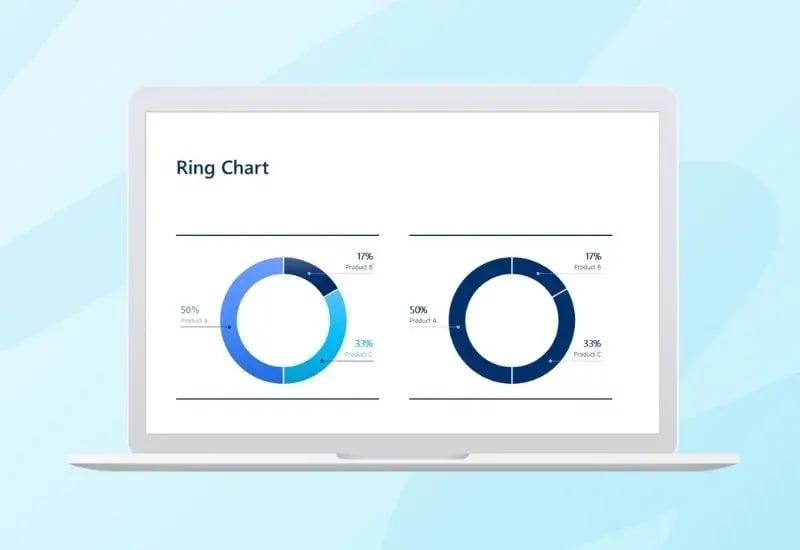
Ring charts
Impressive work
Nothing else matters
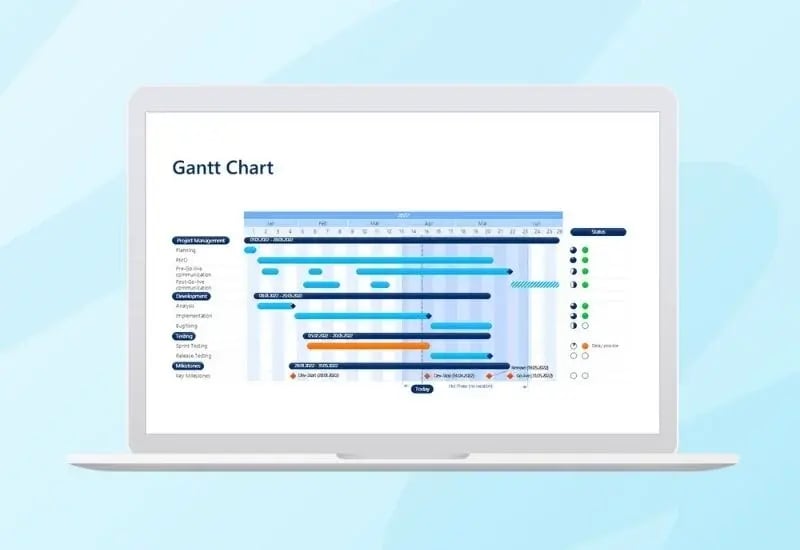
Gantt charts
Impressive work
Nothing else matters

easy


With empower® Chart Creation , charts and reports come together fast. Data is visualized with precision, Excel updates are applied automatically, and formatting is handled without manual effort.

efficient


Even complex charts with many data points and design elements can be created quickly and easily. In practice, users regularly save 50% of their time. That gives teams more time to focus on content and make well-informed decisions.

brand compliant


empower® Chart Creation automatically aligns modern charts within placeholders and maintains balanced proportions, spacing, and typography. Arrows, lines, breaks, number formats, and axes can all be adjusted precisely to deliver visually consistent results.

Start your free trial today

Experience empower® Chart Creation firsthand.

 Download free edition 

Career  Your benefits


The modern charting software - Highlights

Modern charts for faster decisions

empower® offers a broad selection of chart types for professional reporting. Built-in elements such as arrows, lines, breaks, and flexible number formats support clear, consistent communication.

Chart conversion for seamless transitions

Convert existing PowerPoint charts or charts from other solutions into empower® charts with one click and continue working with them immediately.

Create Gantt charts directly in PowerPoint

Build structured project plans directly in PowerPoint, with optional Excel linking. Collapsible phases and clear design presets help keep even complex projects organized and easy to read.

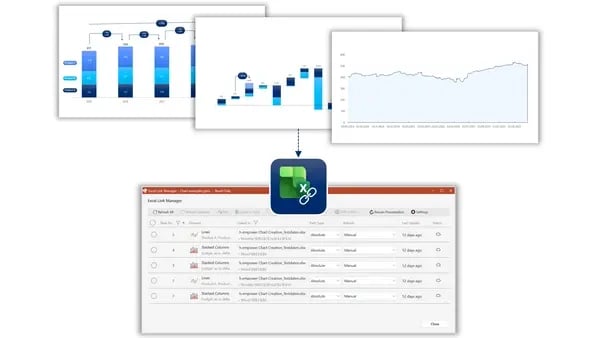
Reliable Excel links

empower® creates dependable links between PowerPoint and Excel that remain intact even when the presentation or source file is moved to a new storage location.
excel-links_600x338

Dynamic charts and tables

When Excel data changes, all linked charts and tables update automatically. This keeps reports current without manual work.

Link tables and text boxes

In addition to charts, tables and text boxes can also be linked to Excel using the integrated Excel Link Manager. Partial-range linking lets you select specific columns without first combining them in Excel.

report

Bye bye, Formatierungsaufwand!

Monotone Aufgaben führen zu monotonem Alltag anstatt zu Motivation und Effizienz. Formatieren Sie Ihre Präsentationen in Sekundenschnelle. Anordnen, positionieren, skalieren oder ausrichten - was mit PowerPoint jedes Mal ewig dauert, ist mit empower® in wenigen Handgriffen erledigt.
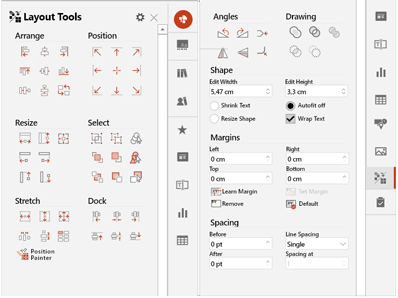
Layout_Tools_horizontal

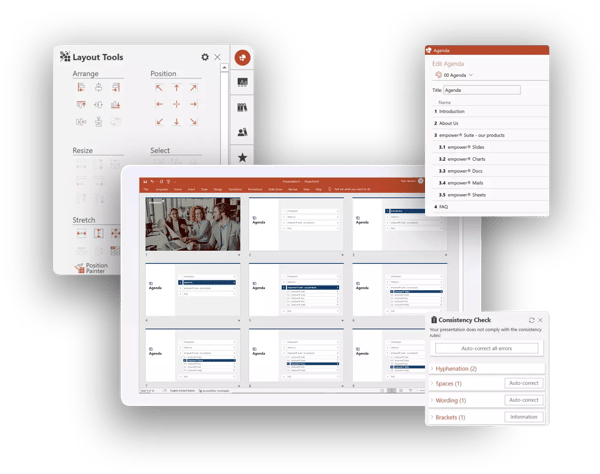
Autokorrektur für Flüchtigkeitsfehler

Klammer nicht geschlossen? Doppelte Leerzeichen? Punkt vergessen? Die Silbentrennung mal mit, mal ohne Bindestrich? Und der Markenname ist auch wieder falsch geschrieben? empower® erkennt und korrigert Flüchtigkeitsfehler automatisch. Anwendende erstellen bessere Ergebnisse ohne Prüfungsaufwand in kürzerer Zeit.
Konsistenzcheck

Hochpräzise Übersetzungen mit DeepL

empower® verfügt über eine Integration mit dem KI-basierten Übersetzer DeepL, der selbst die kleinsten Nuancen Ihrer Inhalte erkennt und sie nahtlos in eine andere Sprache übersetzt. So geht nichts Entscheidendes verloren und Sie teilen Ihre Botschaft mit der ganzen Welt.

AI-Assistant: Text erstellen & optimieren

Die Erstellung und Optimierung von Text ist die größte Stärke künstlicher Intelligenz. Mit dem empower AI-Assistant integrieren Sie sie direkt in PowerPoint. Besonders praktisch: der AI-Assistant springt mit Ihnen automatisch von Folie zu Folie, von Form zu Form und sie erstellen und verbessern Text per Knopfdruck über voreingestellte Prompts. Das spart unzählige Klicks und führt zu perfekten Texten in kürzerer Zeit.

Konsistenzcheck

IT requirements empower for PowerPoint charts     IT specifications


Future-ready enterprise software

empower® is built for organizations of every size, from small, high-performing businesses to global enterprises with more than 100,000 users. empower® for PowerPoint Charts uses advanced technology and architecture to deliver performance, stability, and scalability across environments. 

System requirements

Supports all common Office versions, including 2019 and Office 365. Compatible with all current Windows versions, Citrix, and Terminal Server


Optimized for Microsoft 365

empower® is specifically optimized for Microsoft 365. Through close collaboration with Microsoft, we ensure that empower® remains compatible with the latest Office releases at all times.


Considering a switch to a new charting solution? Here are three strong reasons to choose empower® Chart Creation.

Comprehensive functionality


empower® Chart Creation goes far beyond basic features. More than 40 chart types, precise control over axes and number formats, and smart elements such as arrows, lines, and breaks make it possible to create high-end charts with ease.

Seamless
conversion


Existing PowerPoint charts or charts from other chart add-ins can be converted into empower® charts with one click. Teams can continue working directly within the standard - without rebuilding charts and without interrupting workflows.

Structured
support


The transition is guided in a structured, professional way. From an initial trial phase to rollout and migration, empower® supports the full process so teams can become productive quickly and organizations can benefit from the new standard sooner.

Many leading companies have chosen to switch to empower®

Logo_Bayer_klein

Challenge
For many years, Bayer relied on a different diagramming software solution. Over time, licensing costs steadily increased, eventually exceeding 6,000 licensed users. Bayer needed a solution that would ensure brand consistency and operational efficiency while being accessible to all employees without incurring additional costs.

Process
Bayer conducted an extensive Proof of Concept to evaluate the empower® alternative. This enabled users to verify that all essential diagramming features were available and that a smooth transition could be achieved through the conversion of existing diagrams. With only a small number of exceptions, more than 95 percent of users were convinced and transitioned to empower® at the end of their license term.

Result
Bayer has successfully used empower® for many years and, over time, has saved millions of dollars in licensing and administrative costs as a result of the transition. The demand for efficient diagram creation remains strong across the organization, and empower® continues to see consistently high usage and strong user satisfaction.

dhl_logo_klein

Challenge
DHL Post & Paket needed an economically sustainable and scalable solution for creating diagrams in PowerPoint. Beyond the high licensing costs of its previous software, license management posed a significant administrative burden. Each year, the company had to assess its actual licensing requirements, involving an external service provider and engaging in multi-week coordination efforts.

Process
Following a comprehensive testing phase with a broad group of users, DHL Post & Paket selected empower® as a company-wide add-in for PowerPoint diagrams. The solution was implemented quickly and deployed across the organization to approximately 24,000 users under a corporate license agreement.

Result
By introducing the empower® corporate license, DHL Post & Paket eliminated the complex annual license management process entirely, as all 24,000 users were centrally provisioned with the software. This increased organization-wide productivity, reduced annual licensing costs, and significantly streamlined administrative operations.

Brose_logo-png-1

Challenge
BROSE previously used another diagramming software solution with more than 1,000 users. Although all licenses were required, the company had to reduce the number of licenses due to cost constraints. As a result, many employees were limited to using PowerPoint’s native features for diagram creation.

Process
Following a comprehensive evaluation, BROSE rolled out empower® to all 16,000 employees. Cost-effective terms under a corporate license agreement ensured that expenses would remain predictable and controlled over the long term.

Result
The company now saves substantial annual licensing expenses while providing professional diagramming capabilities to its entire workforce. This supports BROSE’s broader strategy of maintaining IT costs within a sustainable and predictable range while meeting the demands of a modern digital workplace.

2026-01-09_image-logo-T-continental

The smart way to create charts with empower® Chart Creation

„empower® Chart Creation plays a key role for us […]. We no longer need any additional PowerPoint add-ins.“

Thomas Röhrich, Head of Brand Communications, Continental AG


With the release of version 8, empower® Chart Creation was introduced at Continental. Employees responded with strong approval to the ability to create complex diagrams in PowerPoint quickly and efficiently. Automated chart completion saves valuable time and makes the tool easy to use. Existing diagrams created with other charting add-ins can be converted into empower® charts in seconds, enabling users to continue working without interruption.

2026-01-09_image-logo-T-S&P

Standard & Poor's boosts Productivity by 30 Percent with empower®

"We consider empower® the gold standard for how Office products should be developed.“

Alyssa Le, VP Business Development

Like many organizations in the financial services industry, S&P creates a high volume of PowerPoint content, which can be highly time-intensive, particularly when working with complex charts and tables.

The company aimed to reduce the time required to create and format presentations while ensuring compliance and maintaining clear audit trails for all presentation changes.

More time for what truly matters

S&P rolled out empower® fto 10,000 users. Its comprehensive productivity features streamline the creation of tables of contents and automate updates. Built-in tracking makes it easy to trace changes, and table and chart styles can be applied or modified with just a few clicks.

Since implementing empower®, overall productivity has increased by an average of 30 percent. This has freed up significant time that can now be dedicated to higher-value activities such as analyzing and evaluating data.

HAL

"empower® enables our users to create professional presentations in a fraction of the time. (...) Instead of managing multiple standalone add-ins, we now benefit from a comprehensive solution that reduces technical complexity and makes strong financial sense."

Felix Flüs, Head of Marketing & Communications

The best alternative to the Microsoft SharePoint slide library

SharePoint is often used for slide management in companies. However, with SharePoint 2013, Microsoft abolished the slide library component because of poor customer adoption. SharePoint’s slide library integrated clumsily with the slide library in PowerPoint, its search was insufficient search, and it was unstable. The slide library of empower® solves all those problems. It completely replaces your SharePoint slide library and offers further advantages for you.

Efficient slide library without SharePoint

Make all your PowerPoint content available to the entire company in the empower® slide library. Share existing content and strengthen collaboration across the organization. Enhance your brand communication by embedding your design guidelines directly into PowerPoint. Deliver all your brand assets directly in PowerPoint. At the same time, you and your colleagues can work more productively and save time for the really important tasks.

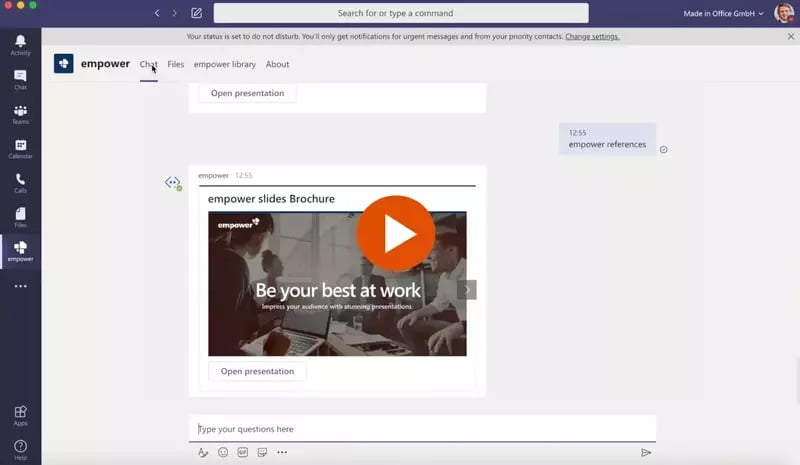
empower® for Microsoft Teams

empower® also directly integrates with Microsoft Teams. People can browse the empower® Library or chat with the empower® Bot to find and open slides directly inside MS Teams.
faq-iconFAQ


We've created this overview to provide you with all the information you need about empower® Chart Creation without having to contact our sales team.

What is empower® Chart Creation?

empower® Chart Creation is a PowerPoint add-in in the empower® Suite for quickly creating complex charts and reports. Waterfall, Gantt, Mekko, and combination charts can be built with far less formatting effort. With Excel integration and an Excel link manager, linked content stays current. The result is professional charts and reports created easily, consistently, and efficiently.

Who is empower® Chart Creation for?
empower® Chart Creation is designed for companies of all sizes that need to create complex charts and reports in PowerPoint - from consulting and sales to marketing, finance, management, and project teams. Wherever data must be presented clearly, professionally, and consistently, empower® boosts efficiency and delivers reliable results.
How do I create complex charts in PowerPoint?

With empower® Chart Creation, you can quickly create complex charts directly in PowerPoint - easily, consistently, and efficiently. Simply choose the chart type, enter your data, or link it to Excel. Charts within placeholders are automatically formatted, and elements like arrows and lines are neatly arranged. Professional charts are ready in minutes, eliminating the need for time-consuming manual formatting.

How does Excel linking work in empower® Chart Creation?

empower® Chart Creation lets you link Excel data directly to PowerPoint charts. Data ranges are linked once and can be updated anytime. Linked charts, text, and shapes stay up to date. The built-in Excel Link Manager clearly shows which data sources are connected to which elements and when they were last updated.

Do Excel links stay intact?

Yes. Once Excel links are created, they remain active and can be updated, edited, or opened at any time. Changes in the Excel file are automatically applied, ensuring your charts and reports always reflect the latest data — no manual checks required.

Can I convert existing charts to empower® Chart Creation?

Yes. Existing PowerPoint charts - even those from third-party software — can be imported into empower® Chart Creation with a single click and edited. They can then be linked to Excel, automatically formatted, and updated. This integrates existing charts into a unified, professional workflow.

Who benefits from empower® Chart Creation?

empower® Chart Creation is ideal for companies of all sizes that want to create complex charts and reports faster, more consistently, and more professionally. Organizations with high reporting and presentation needs will especially benefit from saving up to 50% of time regularly, while ensuring their data is always presented clearly and consistently in PowerPoint.

Chart Creation in PowerPoint

15 reasons why empower® is the modern solution.

 15 reasons for empower