

How automated templates save time, reduce errors, and scale brand communication
Marketing and communications teams are under constant pressure. Content, presentations, proposals, reports, and internal communications need to be created faster, delivered more consistently, and kept reliably up to date. At the same time, teams often have limited time, budgets, and resources.
That is why many companies are looking more closely at AI, automation, and more efficient workflows. The central question is: How can teams reduce operational work without sacrificing quality, control, or brand consistency?
One highly effective lever is template management. Templates for common business documents are already well established in many organizations and play an important role in consistent communication across Microsoft 365. But templates reach their full potential only when they do more than define structure and design. They become much more powerful when they automate recurring work steps.
This article explains how companies can evolve their template management from static files into intelligent document workflows. The goal is to create faster processes, reduce manual work, minimize errors, and produce consistently on-brand results.
Why template management is now an efficiency priority
Traditional templates provide guidance, standardize documents, and ensure a consistent look and feel. In everyday work, however, the biggest effort is often not the template itself, but how people use it.
Many documents are created regularly and manually filled out, adjusted, and reviewed. Product data, contact details, location information, legal notices, and document variations are often copied from different sources. This takes time, increases the risk of errors, and frequently leads to extra rounds of corrections and approvals.
This creates unnecessary operational work, especially for proposals, presentations, reports, contracts, and email signatures. As requirements for accuracy, compliance, personalization, and corporate design become more complex, automated template management becomes increasingly important.
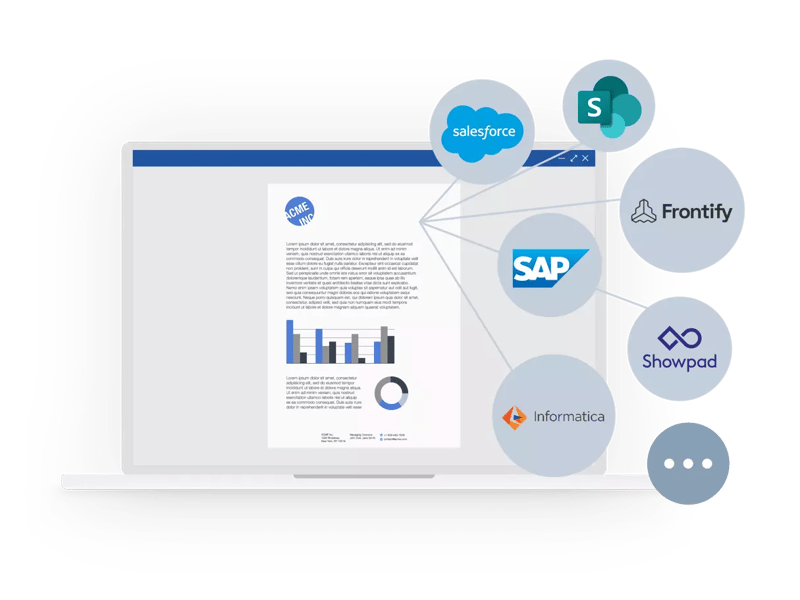
The solution is document automation with a structured questionnaire that captures all relevant information, selections, and variations. Based on those inputs, the appropriate document is automatically generated using programmed rules, approved text modules, templates, and connected data sources.
As a result, teams can create documents faster, more consistently, and with far less manual effort.
Efficiency check: Which documents should be automated?
Automation is especially valuable wherever teams spend time on recurring manual steps. The following questions can help identify documents with strong automation potential.
Ask yourself:
-
Is this document created regularly?
-
Does it include many versions, options, or content elements?
-
Does information need to be pulled from other sources?
-
Are manual reviews or approvals required?
-
Does the document follow a clear structure?
-
Does it include critical information or wording?
-
Do legal notices, company information, or required disclosures need to stay reliably up to date?
When you answer yes to four or more of these questions, document automation is worth considering. Start with documents that take the most time to create because of their length, complexity, frequent manual edits, or strict accuracy requirements.
Five steps to automated template management
1. Standardize templates
A clear structure is the foundation for any automation effort. Content, recurring text and data modules, and layouts should be clearly defined.
Best practice: Build templates in a modular format so content can be automated and reused in a targeted way.
Productivity impact: Teams do not have to start from scratch each time. They can work from clear, reusable structures.
2. Make content dynamic
The greatest productivity gains come when content no longer has to be maintained manually. Use existing systems and central data sources, such as product data from ERP systems, contact information from the CRM, or location and company data from central databases.
Legal notices, required disclosures, and standardized text modules can also be stored and inserted automatically.
Best practice: Anything available from a central source should not be maintained or copied manually.
Productivity impact: Teams no longer need to search for, copy, or check the same data repeatedly. Updates are managed centrally and applied automatically.
3. Build rules into the template
Automated templates should handle recurring decisions automatically. This includes fixed placements, automatic formatting, and defined logic based on context, such as region, language, location, or document type.
Best practice: Move recurring decisions into the template itself.
Productivity impact: Repeated decisions are automated. This reduces questions and helps even less experienced users become productive faster.
4. Simplify governance
Automated template management should reduce the workload for central teams, not increase it. Departments should be able to maintain templates, design elements, and relevant data on their own, while central standards are rolled out in a controlled way.
Clear responsibilities for templates, content, and approvals create transparent processes. IT remains responsible for stability, integrations, and infrastructure, but is relieved of day-to-day template maintenance.
Best practice: Treat template management as part of your broader system landscape, not as a standalone solution.
Productivity impact: Brand, marketing, communications, and IT teams spend less time handling individual operational requests and can focus more on strategic work.
5. Make it easy to use
Automation only works when it makes daily work easier. The application should be intuitive and based on clear input structures. Guided selection processes help users quickly provide the right information.
Best practice: Use assistants or form-based logic that guides users through the creation process step by step.
Productivity impact: Teams adopt automation because it does not create extra work. It shortens the process.
Conclusion: More efficiency without losing control
Traditional templates are an important part of modern brand and communications processes in Microsoft 365. Automation takes them to the next level. Static templates become intelligent work tools that actively reduce manual effort.
Automated templates help teams achieve:
- faster document and presentation creation
- more current and consistent content
- fewer manual errors
- more reliable compliance
- less review and approval effort
- reduced workload for marketing, brand, communications, and IT teams
- scalable brand consistency
The next step is not to replace existing templates, but to develop them strategically. This makes it easier to identify where automated templates can simplify, accelerate, and improve processes, and whether a central template management solution such as empower® can meaningfully complement the existing Microsoft 365 environment.

Email signature marketing – waste of time or smart practice?

When businesses boom: how to keep the brand on track