


AI promises to speed up PowerPoint creation. But long generation times and constant task switching can quickly erase those gains. Real productivity with AI presentation tools isn't just about speed. It's about whether we can stay focused and keep working.
AI is working. I'm doing something else.
Anyone who creates presentations with AI knows the routine. Enter a prompt, start the generation process, and wait.
Depending on the tool and task, that wait can last several minutes. In our experience, even five minutes isn't unusual when generating a more complex slide with Copilot or similar generative AI tools.
The typical response sounds perfectly reasonable. "No problem. I'll just work on something else." Answer an email. Check Teams. Maybe get a head start on the next meeting. There's always something else to do.
But that's exactly where the trouble starts. Presentations don't usually come together in a single prompt. Creating one is an iterative process. We develop an argument, rethink ideas, rearrange slides, and refine our messages.
In other words, we're thinking. And we're often deeply immersed in the topic.
Then we hit Generate and open our inbox.

Context switching costs more than just time
The frustrating thing about these interruptions is that our brains don't switch between tasks nearly as easily as we'd like to believe.
In 2009, organizational researcher Sophie Leroy described a phenomenon called "attention residue." When we move from one task to another, part of our attention can remain stuck on the previous task, especially if we haven't finished it. That lingering attention can make it harder to focus on what comes next.
Research by Gloria Mark and her colleagues in 2008 revealed another important finding. People sometimes compensate for interruptions by working faster. But that increased pace comes with a cost. They experience more stress, frustration, and time pressure.
AI might save us ten minutes of manual PowerPoint work while also increasing our mental workload.
That's why the time it takes to generate a slide or an entire presentation is a poor measure of real productivity.
AI speed benchmarks don't account for the time we need to regain our focus after an interruption. And when we're building presentations, those interruptions can happen again and again.
Why AI presentation tools keep interrupting our workflow
A 17-slide presentation is rarely perfect on the first try. Slide 3 doesn't quite make the right point. Slide 5 needs a different visual. And slide 12?There they are again. Those same three rounded boxes we discussed in our earlier article about the telltale "AI patina" of AI-generated slides.Apparently, AI still has a soft spot for them. Now we need to make changes. And we have two options.
The first is to put every revision into one massive prompt.
That means reviewing the entire presentation, documenting every correction, and explaining exactly what needs to change on each slide. We have to make sure we haven't missed anything. We also have to trust that the AI will apply each instruction to the right slide without changing elements that were already working well. Writing a prompt that detailed can take a surprising amount of time. And once it's ready, the generation process starts all over again.
The second option is to work the way we naturally create presentations, one slide at a time.
We review a slide, make a change, develop the next idea, and move forward. It's a much more intuitive process. But that approach breaks down when every revision takes five minutes.Each new idea leads to another interruption. We switch to a different task, return to the presentation, try to pick up where we left off, and wait for the next revision. What should be a creative, continuous workflow turns into either a lengthy exercise in writing instructions or an endless cycle of prompts, waiting, and starting over. At that point, the important question isn't how quickly AI can generate a slide.
It's whether the tool actually lets us stay focused on building our presentation.

Faster presentation AI helps us stay in the flow
This is what AI should enable. Turn an idea into a slide. See the result. Make a change. Keep going. All without losing our train of thought.
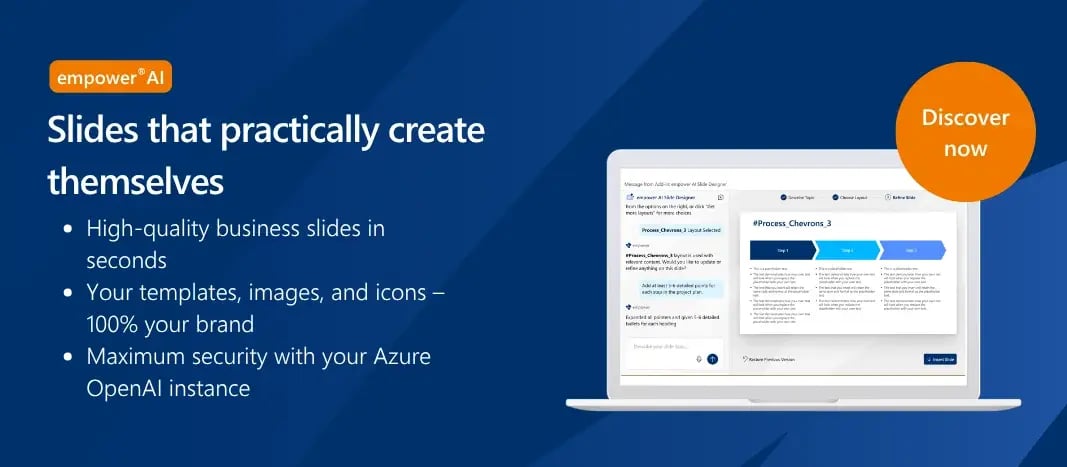
That's why empower® AI focuses not only on creating complete presentations but also on making it fast and easy to work on individual slides.
And the difference is noticeable. Within just two to three seconds of entering a prompt, empower® AI suggests multiple layouts that fit the content. The user chooses one, and about five seconds later, the slide is populated with the requested information. Only when no suitable layout exists and a new one needs to be created does the process take longer. Currently around 60 to 80 seconds.
In a typical workday, there's a major difference between waiting a few seconds and waiting five minutes for a slide. That speed comes, in part, from a different technical approach.
empower® AI combines powerful AI models with a library of professionally designed presentation layouts. Instead of creating every slide from scratch, the system uses existing layouts when they fit and generates new structures only when necessary.
This avoids unnecessary generation steps and helps deliver significantly faster results. More importantly, it allows us to keep working while our ideas are still fresh.
The best presentation AI doesn't keep us waiting
When we talk about AI performance, we often focus on how long a model takes to complete a task. That makes sense. Generation speed is easy to measure and compare. But it tells us surprisingly little about how productive we actually are when using the technology.
An AI tool that constantly forces us to stop and wait may ultimately save less time than one that lets us keep thinking, creating, and refining our work without interruption.
Because the real value of presentation AI isn't how quickly it produces a PowerPoint file. It's how efficiently it helps us get to the finished presentation.
The best presentation AI isn't the tool that gives us enough time to answer more emails while our slides are being generated. It's the one that never gives us a reason to open our inbox in the first place.
Less waiting. Better slides.
See how empower® AI creates professional PowerPoint slides in seconds, all while keeping your company's branding consistent.
In this webinar, Stephan Kuhnert walks through real-world examples and demonstrates how empower® AI helps you create polished, on-brand slides faster. Watch the webinar now!
Scientific References
Leroy, Sophie (2009). "Why Is It So Hard to Do My Work? The Challenge of Attention Residue When Switching Between Work Tasks." Organizational Behavior and Human Decision Processes, 109(2), pp. 168–181.
Mark, Gloria; Gudith, Daniela; Klocke, Ulrich (2008). "The Cost of Interrupted Work: More Speed and Stress." Proceedings of the SIGCHI Conference on Human Factors in Computing Systems, pp. 107–110.

Strong AI use case for companies: business presentations

Creating PowerPoint presentations with AI: Why generated slides do not convince